To make a DesignPrompts Premium System your own, start with its working page, replace the example business through the files that own it, and keep the design relationships you chose the System for. The source, assets, design rules and included agent skills give your coding agent a concrete starting point for that work.
This tutorial uses Umber, the Gallery page for the System named Printed in One Ink. We will plan its adaptation to Relay, a fictional appointment-booking SaaS for independent salons. Follow the steps in your own project; the Relay adaptation described here has not been built.
Start with the design you want to preserve
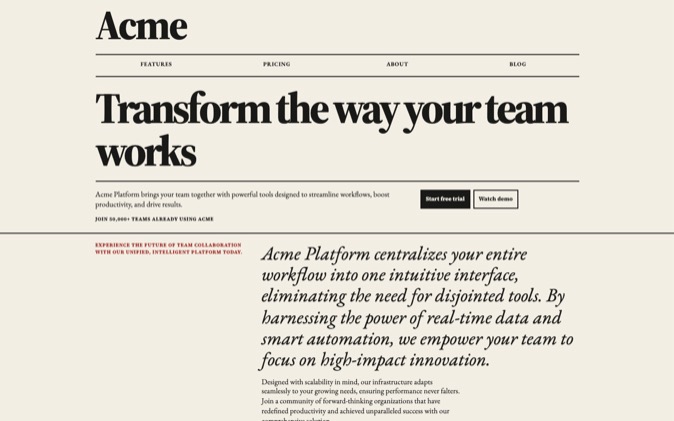
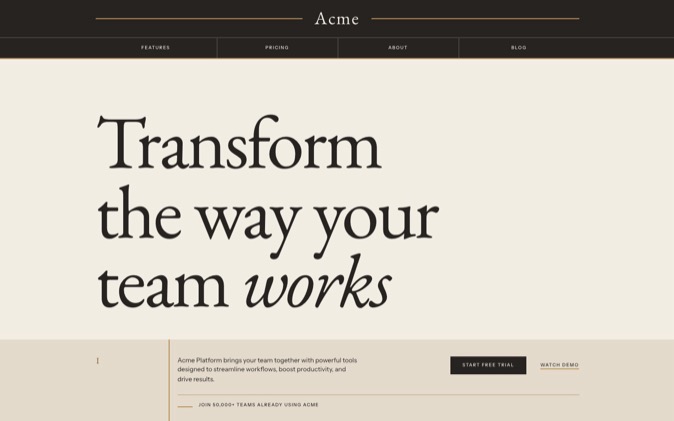
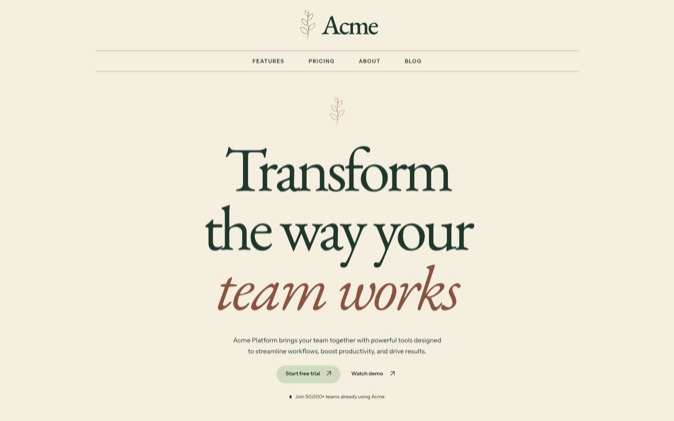
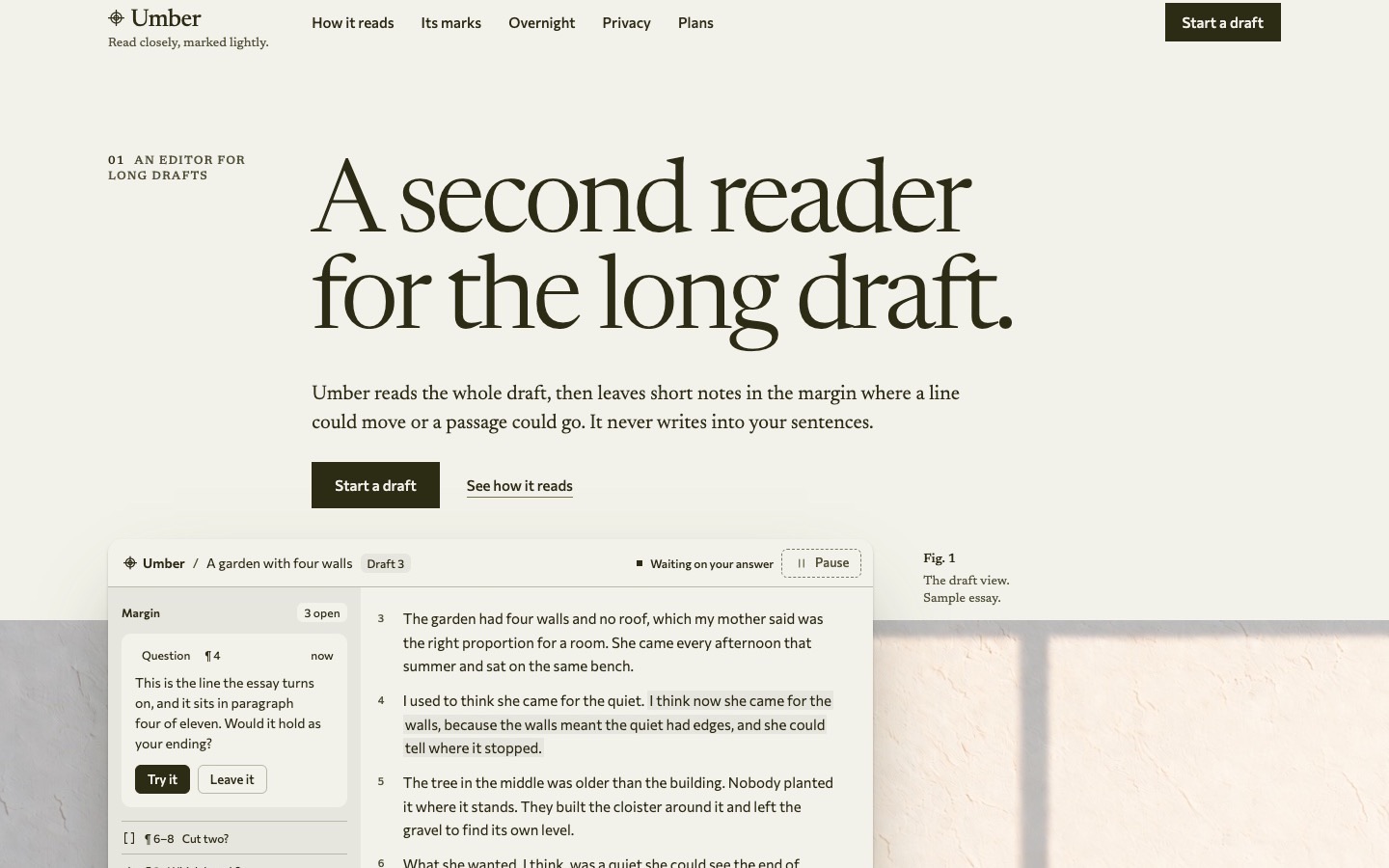
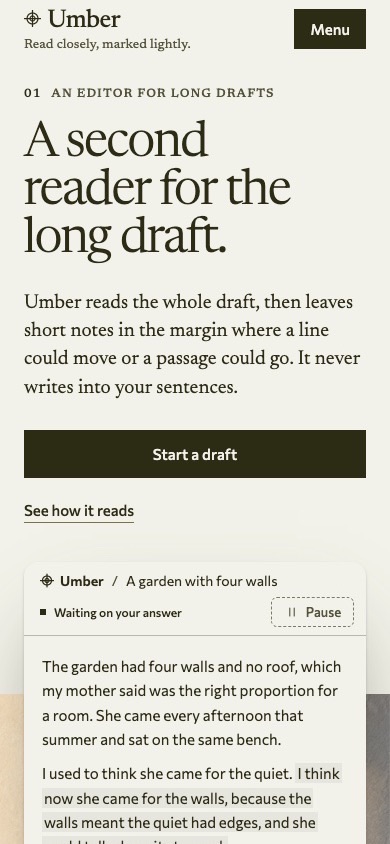
Open the original Umber preview. The supplied page presents a fictional writing product. Its opening combines large serif type, warm paper, olive ink and a raised product sheet crossing into a photograph.
Umber gives a booking product a quieter presentation, with the interface framed by warm paper and large serif headings. The typography can introduce the salon's work, while the denser product sheet explains availability and bookings.
For this adaptation, preserve:
- Warm paper and the related olive ink tones.
- Newsreader for the page typography and Commissioner for the interface.
- Fine rules, numbered labels and generous space around headings.
- An opaque product sheet with readable interface content.
- Naturally lit photographs with separate wide and tall compositions where the layout needs them.
These choices are written into prompts/design-prompt.xml. Its Adaptation section also says the customer's purpose and actual product determine the sections and interface. You can remove the original writing demonstration without losing the System.
Download and run the original package
Gallery Systems are included with Pro. While Pro is active, download Umber from the Systems page in your account. System downloads use your signed-in access; they do not need the LandingKit licence key.
Open the package's app directory. Its README specifies Node 24 and pnpm. Install the dependencies, then start the page:
Inspect the original page before editing. Keep a reference of its opening and one dense product section at desktop and phone widths. This gives you an example to compare with when longer copy or different imagery changes the layout.
Read README.md, DESIGN.md and prompts/README.md with your agent. DESIGN.md maps the design to the code; prompts/design-prompt.xml holds the full visual rules.
Know which files own the rebrand
Umber's supplied package separates the work into useful owners:
| Change | File or directory | What to inspect |
|---|
| Brand name, hero, navigation and page copy | src/content.ts | Visible text, accessible labels, sample product data and messages |
| Title, description and site URL | src/site.ts | Identity used by the page head and metadata |
| Section selection and order | src/page.tsx | Which sections the page renders |
| Section layout and behavior | src/sections/ | Each section's React component and stylesheet |
| Shared design components | src/components/ | Controls, headings, photographs and product sheets |
| Color, type and spacing values | src/design/tokens.css | The shared values components read |
| Product demonstration | src/product/ | Writing-specific interfaces to replace or remove |
| Pictures and fonts | public/images/ and public/fonts/ | Supplied assets and font licences |
| Browser and share identity | public/favicon.svg and public/og.jpg | The mark and social image |
| Image direction and records | prompts/images.md | Existing image prompts and new asset requirements |
| Recorded checks | PROOF.md | Evidence for the supplied page |
The package includes reusable components such as BandHead, InkControl, ActionLink, Plate and Sheet. Ask the agent to inspect them before inventing replacements. Their value is the existing relationship between type, controls, imagery and spacing.
For more background on the package structure, see what a DesignPrompts System includes.
Rewrite the page around Relay's actual job
Relay lets a salon publish availability, accept bookings and send reminders. Its primary action is Book a demo. That is the complete product brief for this exercise.
Start with a small copy map:
| Original Umber element | Proposed Relay replacement |
|---|
| "A second reader for the long draft." | "Online bookings for your salon." |
| Explanation of notes in a manuscript | "Publish availability, accept bookings and send reminders with Relay." |
| Start a draft | Book a demo |
| Writing rules and proofreader's marks | The availability, booking and reminder workflow |
| Essay displayed inside the product sheet | A clearly labelled illustrative availability view |
Change the product identity in both src/content.ts and src/site.ts. Then inspect navigation labels, mobile-menu items, accessible names, image captions, footer text and control messages. Replacing the main heading alone leaves much of the old product in place.
Choose sections by the content you have
The supplied src/page.tsx composes Hero, Rules, Marks, Overnight, InUse, Privacy, Plans and Close between the header and footer.
For Relay, ask the agent to build a shorter sequence:
- A header and hero that explain salon bookings.
- An illustrative availability panel using the System's sheet treatment.
- An explanation of publishing availability, accepting bookings and sending reminders.
- A closing invitation to book a demo.
- A footer with only the links the page actually needs.
Remove the example customer marks, quotations, figures and pricing. Remove writing-specific privacy promises too. None establishes a fact about Relay.
The supplied page's section list is an example. Its own design rules permit a scheduling product to show availability and a confirmed booking in a raised sheet. Use that latitude to explain your product rather than rename an essay editor's controls.
Adapt the images without losing the composition
Umber's original hero uses 01-hero-plate-landscape.jpg and 02-hero-plate-portrait.jpg under public/images/. The corresponding paths, dimensions and alt text live in src/content.ts.
The photographs show a writing setting. For Relay, choose a salon-relevant subject while preserving the useful composition: natural directional light, quiet space behind the raised sheet, and a crop that works at its displayed size.
Give the agent an image brief such as:
text
Prepare the opening-image plan for the fictional Relay page.
Follow the Images section in prompts/design-prompt.xml.
Use a salon setting with natural directional light and a quiet region behind the product sheet.
Specify separate wide and tall compositions for the selected hero layout.
Keep the booking interface as HTML above the image.
Use supplied or properly licensed assets and label illustrative imagery honestly.
Record any new asset and its source in prompts/images.md.
Use the package's .agents/skills/make-images/SKILL.md when you need new imagery. It asks for the subject, slot, dimensions, available assets and rights. It also explains how to record a generated image's exact prompt.
The supplied images are licensed under the Pro licence, as the README states. Their presence does not make them photographs of your business or customers. Review each image for relevance before keeping it.
Give the agent the supplied rebranding workflow
For the full Relay page, start with .agents/skills/make-a-page/SKILL.md. It routes the agent through the brief, composition, implementation and review files.
Use this request:
text
Use .agents/skills/make-a-page/SKILL.md to adapt this Umber package for Relay.
Read DESIGN.md, prompts/README.md and prompts/design-prompt.xml first.
Relay is a fictional appointment-booking SaaS for independent salons.
Its capabilities are publishing availability, accepting bookings and sending reminders.
Keep the Printed in One Ink design relationships, fonts and token roles.
Replace the writing-product demonstration with a labelled illustrative availability view.
Use the shorter Relay section plan and the copy supplied in this tutorial.
Remove unsupported customer evidence, prices and writing-specific promises.
Use Book a demo as the primary action. Identify its real destination as an unresolved input.
Update the visible identity, metadata, navigation, accessible labels and image captions.
Run pnpm check and follow prompts/review.md. Report what you actually inspected.
Use .agents/skills/change-a-section/SKILL.md for a later targeted edit, such as changing only the hero composition. Use .agents/skills/check-a-page/SKILL.md to review the finished adaptation.
If you are bringing the design into an existing application, use .agents/skills/adopt-the-system/SKILL.md. It describes carrying the tokens, fonts, design rules and needed components into the target while preserving its stack, routes and behavior.
The package also supplies CLAUDE.md, which imports AGENTS.md. Claude Code documents this project-instruction mechanism in its memory guide. With any agent, name the relevant skill and design files explicitly in the task.
Check the changed page and its identity
Run the package's checks after adapting it:
That command type-checks, lints, checks formatting, builds and runs the System check. If changed assets or content make the recorded measurements stale, build the current page and inspect new measurements:
sh
pnpm build
node scripts/check-system.mjs --measure
Update the affected tables in PROOF.md from those results and run pnpm check again. Inspect and update the reduced-motion description if you changed the behavior. The original proof describes the original Umber page.
Then inspect what the code checks cannot settle alone:
- Does the new heading keep a deliberate line break at wide and narrow widths?
- Does the availability view remain readable without shrinking the desktop interface into a miniature?
- Do the wide and tall image crops leave room for the sheet?
- Do navigation, keyboard focus and reduced-motion states work?
- Have the original sample claims, contact address and obsolete anchors left the page?
- Do the title, description, favicon and share image describe the new product?
- Does Book a demo reach a real, supplied destination before publication?
For this Relay exercise, the booking panel is illustrative. Building the actual booking service, reminders and demo-request flow remains separate implementation work.
Umber supplies a working page and the files that explain how to change it. You can retain its visual character while giving the page a different product, content plan and demonstration.
Open Umber in the Premium Gallery and inspect the design you would adapt.